
A Practical AI Rollback Plan Template for Internal Teams in 2026
An AI release can fail without a crash. The app stays up, but answers drift, approvals break, or an agent takes the wrong action.
That is why a strong AI rollback plan matters in 2026. Internal teams need a documented AI rollback plan whose primary objective is maintaining system stability; it offers a way to stop harm, achieve rapid restoration to a known-good version, and tell the right people what changed. Start with the operating model, then write the steps your team can follow under pressure.
Key Takeaways
- AI rollback plans are essential for internal teams in 2026 to maintain stability amid changes in models, prompts, retrieval indexes, agent workflows, and vendors; document versions, safe fallbacks, and owners for each.
- Pre-define monitoring triggers like quality drops or policy violations, with one incident commander authorized for fast rollback via feature flags, blue-green switches, or vendor failovers.
- Prefer rollback to a known-good state over fix-forward for speed and safety, logging full release fingerprints for post-incident reviews.
- Use the provided template to track system details, triggers, rollback targets, communication paths, and recovery checks as core AI operations discipline.
Why rollback planning now belongs in core AI operations
Machine learning models within production environments change in more places than standard software. A release might swap the model, adjust the system prompt, update the retrieval index, add a new agent tool, or route traffic to a different vendor. If you cannot name the last approved version for each part, rollback will be slow.
As of April 2026, teams preparing for governance frameworks including the EU AI Act are pairing human oversight with operational stop controls, even for a well-thought rollback strategy. That means one named owner can pause or roll back a risky release fast. A recent governance playbook for AI incidents makes the same point: incident authority should sit with a person, not a committee.

Release design matters too. Feature flags, canary deployment, and blue-green deployments give teams a fast path back to safety. These rollback playbook examples show why that matters: the best rollback is often a switch, not a rebuild.
Rollback should be a pre-approved operating motion, not a debate during an incident.
Most importantly, treat rollback as part of risk reduction. Your plan should cover business harm, compliance exposure, bad downstream actions, and poor user trust. That is why internal AI teams need the same discipline they already use for security incidents and production outages.
The controls every AI rollback plan should document
A usable plan tracks each change type on its own. One document can cover the whole system, but each component needs a version, fallback, and owner.
| Change area | Version to track | Safe fallback |
|---|---|---|
| Model versioning | Model ID, eval scorecard, training data snapshot | Revert to last approved model |
| Prompt change | Prompt bundle, guardrails, prompt hash | Restore prior prompt pack |
| Retrieval pipeline | Index snapshot (ensuring data consistency), embeddings, chunking, re-ranker version | Switch to prior index or disable RAG |
| Agent workflow | Tool permissions, graph version, memory settings | Disable tool use or return to read-only flow |
| Third-party vendor | Route config, region, SLA status, contract exit path | Fail over to backup vendor or non-AI path |
Set monitoring thresholds before release to detect performance degradation. Good plans define what triggers rollback, how long the breach must last, and who can approve action. For example, you may roll back when policy violations cross a set rate, citation success falls below a floor, timeout rates spike, or an agent starts repeat loops. Use continuous monitoring and anomaly detection tools as the primary inputs for an automated rollback trigger.
You also need a clear choice between rollback and fix-forward approach. In many cases, rollback is safer because the last approved state already passed review. This rollback or fix-forward approach guidance is useful for teams that need a consistent decision path.
Finally, log the full release fingerprint. Capture model version, prompt hash, index ID, tool settings, vendor route, and feature flag state. Without that record, post-incident review turns into guesswork.
Copy and adapt this AI rollback plan template
Use this template as an internal starting point. Keep it in the same system as your release notes, runbooks, and incident records.
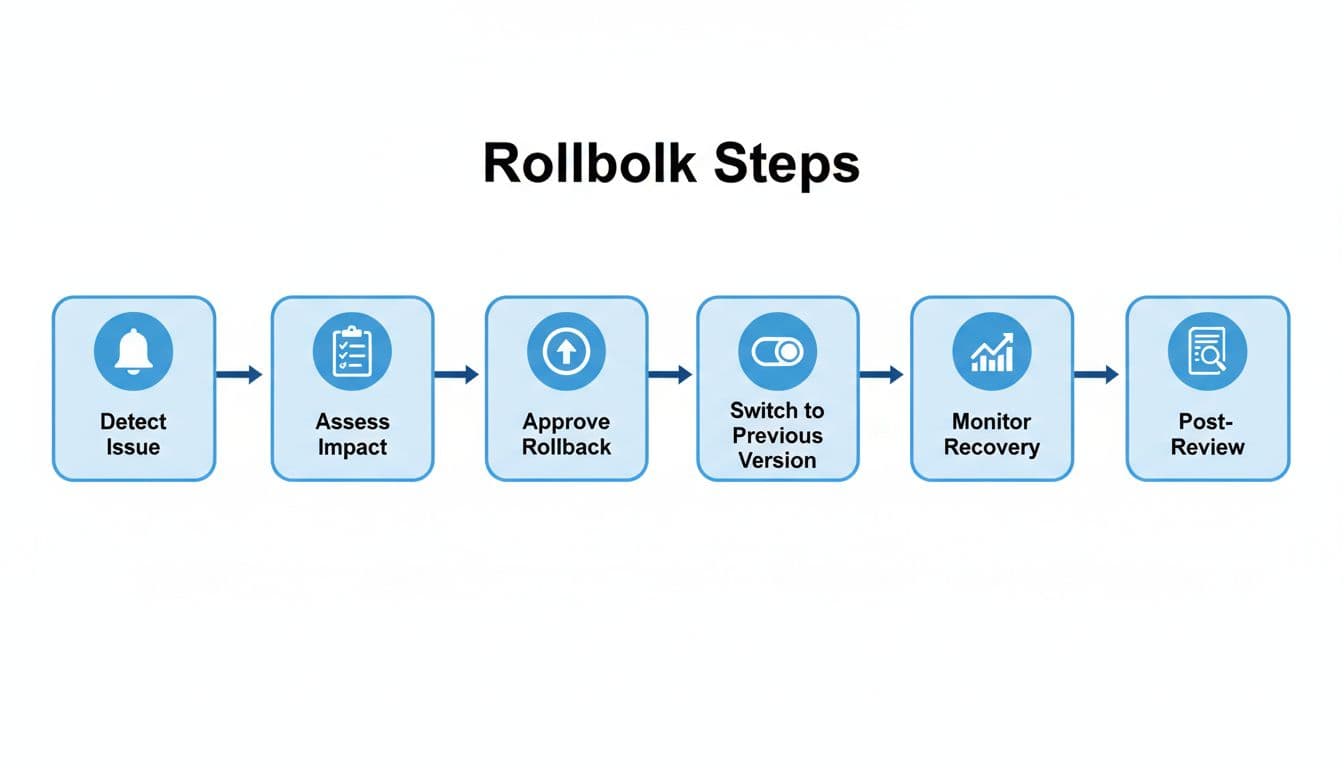
Internal AI rollback plan template
System record
- System or workflow name: [Insert name]
- Business owner: [Insert owner]
- Technical owner: [Insert owner]
- Incident commander: [Insert owner]
- Risk tier: [Low, medium, high]
- Last known-good release: [Insert version/date]
- Rollback method: [Feature flag, blue-green switch, canary stop, vendor failover, manual disable, kill switch], executed via deployment automation
- Recovery time target: [Insert target]
Pre-approved rollback triggers
- Output quality falls below [threshold] for [time window].
- Unsafe, non-compliant, or off-policy responses exceed [threshold].
- Latency, timeout, or failed task rate exceeds [threshold].
- Retrieval precision, citation success, or grounding score drops below [threshold].
- Agent takes an unapproved action, loops, or writes incorrect state.
- Third-party vendor misses SLA, changes behavior, or loses regional availability.
Rollback target by change type
- For model updates, restore the last approved model and evaluation set via the deployment pipeline, which uses immutable deployments to ensure version integrity.
- For prompt changes, restore the prior prompt bundle and guardrail rules.
- For retrieval changes, switch to the prior index and re-ranker, or disable RAG.
- For agent workflow changes, disable tool use and revert to the prior graph.
- For vendor failures, route to the backup provider or a safe non-AI path.
Approval and communication path
- The incident commander can pause traffic and start rollback once a trigger is confirmed.
- Product, security, and compliance must review before re-release if regulated data or user harm is involved.
- Support, operations, and affected business owners get an incident update within [time].
- End users or employees get a notice when outputs, access, or service timing changed.
Recovery checks and review
- Run smoke tests against the last approved state.
- Watch recovery metrics for [time window].
- Record incident start, decision time, rollback completion, and residual risk.
- Complete a post-incident review within [time].
- Assign one owner and due date for each corrective action.
Example rollback workflow for a retrieval or agent change
Say a new retrieval re-ranker goes live on Monday morning. Within minutes, citation success drops, answer quality falls, and an agent starts repeating the same tool call.
- Monitoring alerts the on-call team for issues like latency degradation or cost anomalies when thresholds stay breached for the set window.
- The incident commander checks traces, sample outputs, and business impact.
- The team freezes new sessions and disables any write-capable agent actions.
- Engineering activates the rollback mechanism through traffic redirection to the previous stable retrieval stack.
- If the issue also touched prompts or model routing, the team restores the last approved prompt bundle and model version.
- If the root cause is a vendor outage or degraded API behavior, traffic moves to the backup route or a manual process.
- After recovery, the team validates quality, latency, and policy checks, then sends a status update.
The same pattern works for model swaps, prompt edits, and vendor failures. What changes is the rollback target, not the discipline behind it.
Frequently Asked Questions
Why do AI teams need rollback plans in 2026?
AI systems change in multiple layers beyond code, like models, prompts, and retrieval indexes, making failures subtle and widespread. Rollback plans ensure rapid restoration to a known-good state, reducing harm from drift, compliance risks, or bad actions. They pair with governance like the EU AI Act by giving one owner fast-stop authority.
What components must every rollback plan track?
Track model ID, prompt hash, index snapshot, agent graph, and vendor routes with specific fallbacks like prior versions or non-AI paths. Set monitoring thresholds for triggers such as quality drops or loops. Log the full release fingerprint to avoid guesswork in reviews.
Rollback or fix-forward—which to choose?
Rollback is often safer as it returns to a pre-approved state that passed review, especially under pressure. Fix-forward suits simple issues but risks compounding errors. Plans should define decision paths based on breach duration and impact.
Who approves and executes a rollback?
The pre-designated incident commander can pause traffic and execute once a trigger confirms, without debate. Product, security, and compliance review re-releases if harm or regulation applies. Communicate updates to support, ops, and users promptly.
How does the example workflow apply broadly?
For issues like retrieval drops or agent loops, alert, assess impact, freeze writes, rollback the specific component, validate recovery, and review. The pattern scales to model swaps or vendor failures by targeting the right fallback. Automate where possible for speed in cloud environments.
Conclusion
A good AI rollback plan is part release control and part governance. It works when every moving part has a version, every trigger has a threshold, and one person has authority to act.
If your team can roll back a model but not a prompt, an index, or a vendor route, the plan is incomplete. The goal is simple: execute technical rollbacks to transition to a known-good state fast, especially in Kubernetes clusters or similar cloud environments, reduce harm, and conduct a thorough root cause analysis to make the next release safer. A robust rollback mechanism, including automated rollback where appropriate, marks mature AI operations.