AI Incident Response Plan Template for Internal Teams in 2026
AI failures don’t wait for your next governance meeting. A model can leak data, follow a malicious prompt, or break policy in minutes.
A practical AI incident response plan gives security, legal, privacy, compliance, HR, communications, and AI product owners one playbook. In 2026, that matters more than ever, because many teams still can’t say how fast they could shut AI down during an incident.
Why a normal IR plan isn’t enough for AI
Traditional incident response assumes systems fail in clear ways. AI systems don’t. They can drift, hallucinate, expose hidden prompts, or take unsafe actions through connected tools.
That means your plan has to cover more than malware or account takeover. It needs triggers for prompt injection, model abuse, data leakage, harmful output, third-party model failure, unauthorized access, and policy violations.
Recent cases show why. The EchoLeak case involving Microsoft 365 Copilot pushed prompt injection and data exfiltration into the enterprise spotlight. Meanwhile, reporting on a Meta internal data leak tied to an AI agent showed how internal misuse can become a security and governance event fast.
Regulation also raises the stakes. If your systems touch the EU, review the August 2026 EU AI Act timeline and map serious incidents to your reporting workflow now, not later.
If your team can’t name the kill switch owner, the first hour is already slipping away.
A copy-and-paste AI incident response plan template
Start with a short, plain-language scope section. Then set activation triggers and decision rights.
Minimum scope, triggers, and evidence
Your plan should include:
- All covered AI systems, owners, vendors, model versions, APIs, agents, and connected data stores.
- Clear activation triggers for prompt injection, data leakage, harmful output, model abuse, third-party failures, unauthorized access, and policy breaches.
- A named incident commander and a named kill switch owner for each system.
- Required evidence, including prompts, system instructions, tool-call logs, outputs, user IDs, timestamps, model/version details, and vendor ticket IDs.
- Legal, privacy, and compliance review points for reportable events, regulated data, employee issues, and customer harm.
- Internal and external notification rules, including who can approve statements.
- Recovery criteria, rollback criteria, and post-incident review deadlines.
Use this opening text in your internal plan:
This plan applies to all internal and customer-facing AI systems. We activate it when AI behavior creates security, privacy, legal, safety, HR, or compliance risk, or when the team cannot quickly rule that risk out.
RACI table for cross-functional ownership
Keep one decision-maker for triage, even when many teams join.
| Role | Triage | Contain | Notify | Restore |
|---|---|---|---|---|
| Security lead | A/R | A/R | C | C |
| IT or platform ops | R | R | I | R |
| AI product owner | R | C | C | A/R |
| Legal | C | I | A/R | I |
| Privacy | C | I | A/R | I |
| Compliance or risk | C | I | C | I |
| HR | I | I | C | I |
| Communications | I | I | A/R | I |
R means responsible, A means accountable, C means consulted, and I means informed.
Step-by-step workflow for the first 24 hours
The first hour should feel boring, not chaotic. That’s a good sign.

- Declare the incident. Open a ticket, assign the commander, set severity, and start a time-stamped log. If facts are thin, declare first and downgrade later.
- Contain the system. Disable risky tools, cut model access to sensitive stores, rotate exposed keys, freeze unsafe automations, or fall back to a safe version.
- Preserve evidence. Save prompts, hidden instructions, outputs, session IDs, model parameters, vendor responses, screenshots, and access logs. Don’t let a hot fix erase the trail.
- Assess impact. Security checks compromise, privacy checks personal data exposure, legal reviews duties, compliance maps policy impact, and HR joins if employee misuse is possible.
- Coordinate external parties. If a third-party model failed, escalate to the vendor fast. For prompt leaking or extraction risks, a quick prompt leaking reference guide can help responders align on what to look for.
- Recover in stages. Restore only after testing. Then add guardrails, update prompts, change permissions, patch connectors, and watch for repeat behavior.
Use this internal message template:
We have activated the AI incident response plan for [system name]. Current severity is [level]. Please preserve logs, stop non-approved changes, and route all external questions to [owner].
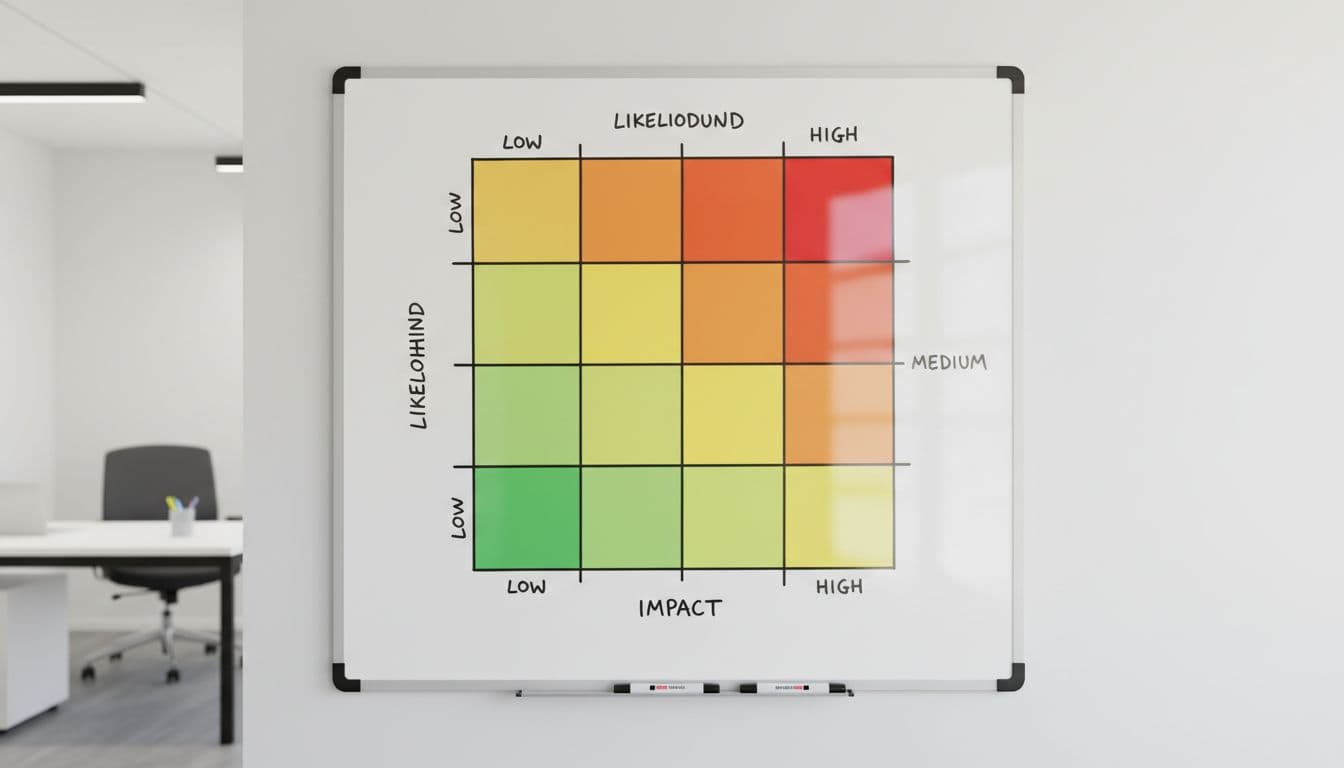
Sample severity matrix for AI incidents
Use a simple matrix so teams classify fast and act faster.
| Level | Use when | First response goal | Example |
|---|---|---|---|
| Sev 1 | Live harm or likely reportable event | 15 minutes | Data leakage, unauthorized model access, prompt injection causing exfiltration, unsafe agent action |
| Sev 2 | Material risk with contained impact | 60 minutes | Harmful output to users, model abuse campaign, vendor failure with business impact |
| Sev 3 | Limited impact, no known exposure | 4 hours | Blocked prompt injection, internal policy violation, isolated bad output |
| Sev 4 | Low risk or false positive | Next business day | Benign misuse, duplicate alert, test artifact |
Grade on the highest plausible harm in the first hour. If facts are fuzzy, go higher.
A live data leak, unsafe autonomous action, or reportable privacy event should stay at Sev 1 until disproven. On the other hand, a policy-only issue with no exposure may start at Sev 3, then rise if it repeats.
Minutes matter when AI goes off-script. The best plan is short, role-based, and easy to run under stress.
Take this template, map it to your systems, and run a tabletop within 30 days. If the team can’t declare, contain, and preserve evidence in one meeting, the plan still needs work.