
AI DPIA Template for Internal Teams in 2026
The AI tool with the least public visibility can create the biggest privacy problem. Internal copilots, HR screeners, meeting bots, and knowledge assistants often touch employee, applicant, and contractor data before anyone asks the hard questions.
That’s why a solid AI DPIA template matters in 2026. You need something teams can finish, update, and defend in an audit, not a 20-page form no one reads. Start with the template below, then adapt it to your intake flow.
Why internal AI needs a different DPIA in 2026
Internal AI feels safer because it stays inside the house. Still, internal use can raise higher risk than customer-facing tools, especially in HR, monitoring, access control, fraud, and productivity scoring.
As of April 2026, GDPR Article 35 still requires a DPIA when processing is likely to create high risk to people’s rights and freedoms. That often applies when AI uses large-scale profiling, sensitive data, systematic monitoring, or automated decisions with real effects. See ICO’s DPIA process guidance for the base process.
The EU AI Act doesn’t replace that work. For high-risk internal systems, such as hiring or worker management tools, your team may need AI Act documentation and, in some cases, a combined FRIA and DPIA approach. The timing matters too, because key 2026 EU AI Act obligations land this year for high-risk systems.
Internal-only doesn’t mean low risk.
Think about common enterprise examples. A meeting assistant may capture names, opinions, and performance issues. An internal RAG tool may index email and HR files. A hiring model can turn a recommendation into a real outcome. Each case creates a trail of prompts, logs, and access events that your team has to govern.
Customer-facing AI usually needs outward transparency, complaint paths, and user-facing notices. Internal AI needs its own controls instead, staff notices, role-based access, labor and HR review, clear override rights, and tighter logging. The power gap between employer and worker changes the risk picture.
Your ready-to-use AI DPIA template
Use this as your base form. Keep answers short, link evidence where you can, and name an owner for every open action.
This is an operational template for internal teams, not legal advice.

This table gives you the core sections, example fields, and the review prompts that matter most.
| Template section | Example fields to capture | Sample prompt for reviewers |
|---|---|---|
| Scope and ownership | Project name, business unit, owner, vendor or model, countries, internal-only or customer-facing, go-live date | What task does the AI support, and who can approve or stop it? |
| People, data, purpose | Data subjects, sources, personal data types, sensitive data, purpose, lawful basis, Article 9 condition, minimization notes | Can we meet the goal with less data, or with non-personal data? |
| Decisions and oversight | Output type, automated decision flag, potential effect on people, reviewer role, override path, appeal route | Could this affect hiring, pay, discipline, access, or workload? |
| Vendors, transfers, and records | Provider, subprocessors, training on your data setting, transfer countries, SCCs or TIA, records of processing update | Where do prompts, logs, and files go after upload? |
| Security, retention, and deletion | Access roles, encryption, logging, retention period, deletion method, incident owner | Can admins retrieve prompts, and when are logs deleted? |
| Fairness, transparency, and residual risk | Bias tests, known limits, notice text, human review notes, inherent risk, controls, residual risk, sign-off, review trigger | If the model is wrong or biased, who catches it before harm? |
If the use case is internal only, attach employee notice text, acceptable-use rules, and manager guidance to the record. If the same system also touches customers, add front-end notice language, rights handling, and complaint routing.
If the tool starts as internal and later supports customer service, don’t reuse the old record unchanged. The same model can move from staff productivity to customer impact fast. When that happens, expand transparency text, rights handling, and testing scope before rollout.
For a quick cross-check, compare your form against an AI system DPIA template aligned to GDPR and the EU AI Act. Don’t copy a vendor format blindly. Build a review your teams can repeat.
How to implement this template without slowing teams down
Start with a one-page intake gate. If a team uses personal data, monitors workers, relies on AI output for action, or brings in a third-party model, the DPIA opens automatically. That keeps reviews consistent and stops late surprises.
Run the assessment in one working session. Bring the business owner, privacy, security, procurement, and the system admin. Use real evidence, vendor terms, retention settings, sample prompts, screenshots, and access logs, not memory.
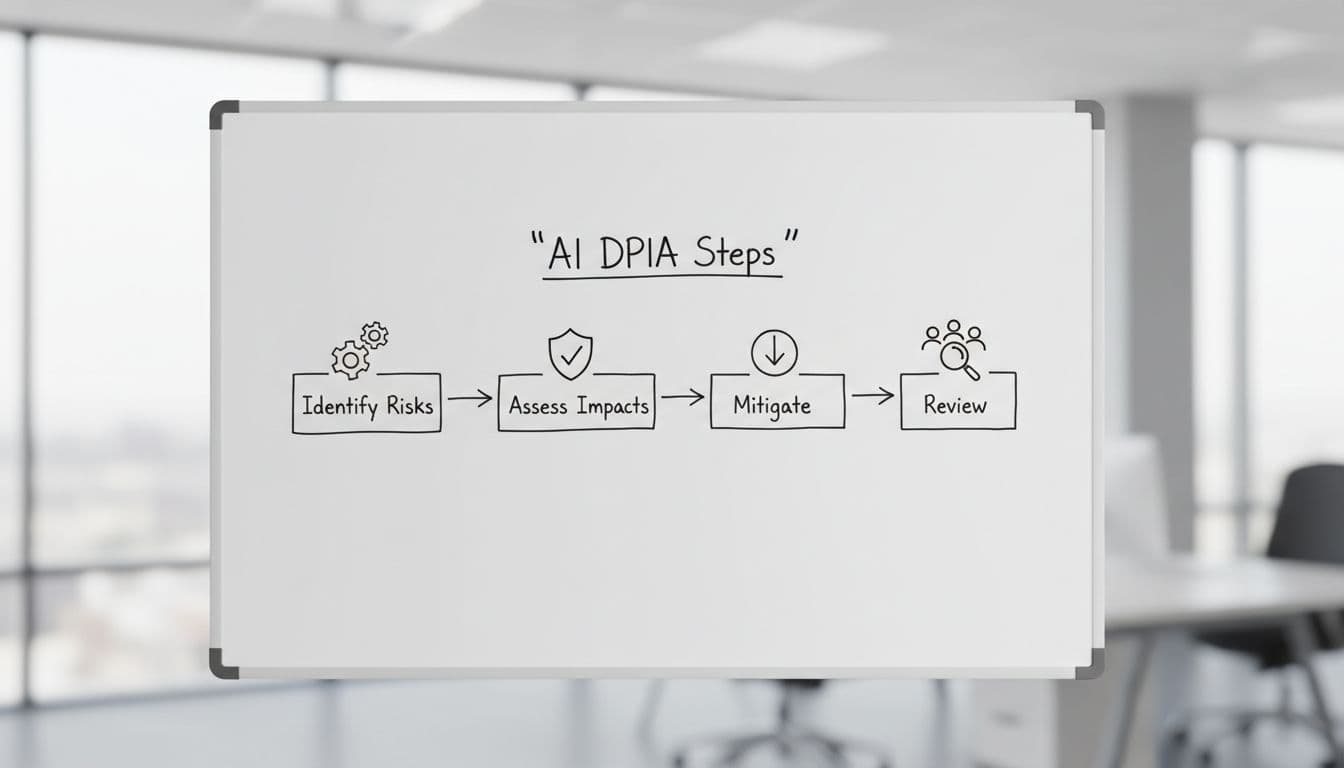
Keep scoring simple. Rate likelihood and harm as low, medium, or high. Then record the control, the owner, and the due date. If high residual risk remains, escalate to the DPO and legal team before go-live.
Keep an evidence pack with the DPIA. Include the vendor DPA, subprocessors list, transfer assessment, retention screenshot, approval date, and any bias or red-team notes. Update your records of processing at the same time, so the paper trail stays in one place.
Review again when something changes. Common triggers include a new vendor, new data source, model fine-tuning, wider rollout, or a move into HR. A good step-by-step AI DPIA guide can help teams standardize the workflow, but your own intake rules matter more than any template.
The riskiest AI system is often the one nobody outside sees. A useful AI DPIA template makes internal AI review faster because it turns abstract concerns into fields, owners, and dates.
If your team can state the purpose, justify the data, explain the oversight, and prove the controls, you’re in much better shape for 2026. If you can’t, pause the rollout before the risk becomes someone else’s problem.